
Gather Round Shepherds and Cowboys
Shepherds and cowboys manage flocks and herds. They both use tools. For the shepherd it might be a weapon/staff and a good border collie. For the cowboy it is his horse, an Australian cattle dog and a rope. Tools can help them keep their livestock safe and help them observe the quality of their four-legged investments. Good investors also use tools to manage and observe their flocks and herds.
Proverbs 27:23-24 (ESV) says, “Know well the condition of your flocks, and give attention to your herds, for riches do not last forever; and does a crown endure to all generations?” Do you know well the condition of your investments?
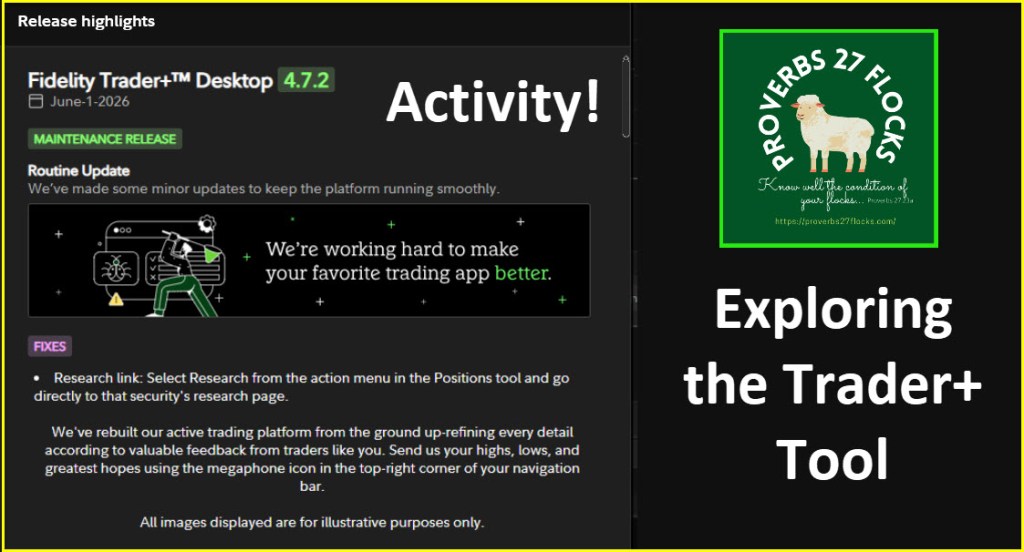
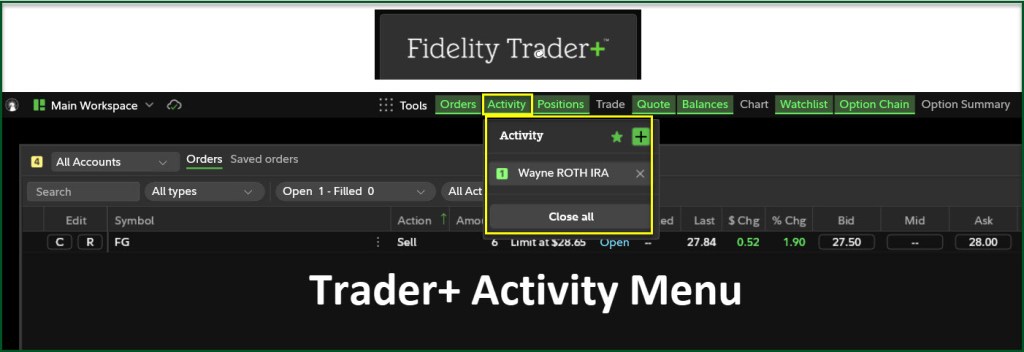
During a recent Trader+ options trading training session, a question our friend Lisa asked caused me to explore the ACTIVITY portion of the Trader+ menu. This is helpful for reviewing dividend income and for seeing activity across all accounts or selected accounts in your Fidelity Investments portfolio. I only wish it would separate out options income, but that can be accomplished in a spreadsheet.
Trader+ Activity Filters
There are a couple of helpful filters, in addition to filtering by account. The first is the Time Frame. Perhaps you want to see just the most recent activity, and perhaps you would like to see all of 2026. You can also set a time range or window that you want to analyze. If you are receiving dividends from your investments, knowing what you have received can help you make wise decisions to avoid reactionary selling of your investments during times of volatility.
The second is the “All Activity” option. There are several choices, including Buys and Sells, Checks, Deposits, Withdrawals, Dividends and Interest and Transfers. I am most interested in Buys and Sells and Dividends and Interest. This interface, in my opinion, is better than the generic web-based Activity view. In addition, you can download any view to a CSV file. Here are two views of YTD Dividends and Interest from my traditional IRA and my ROTH IRA.
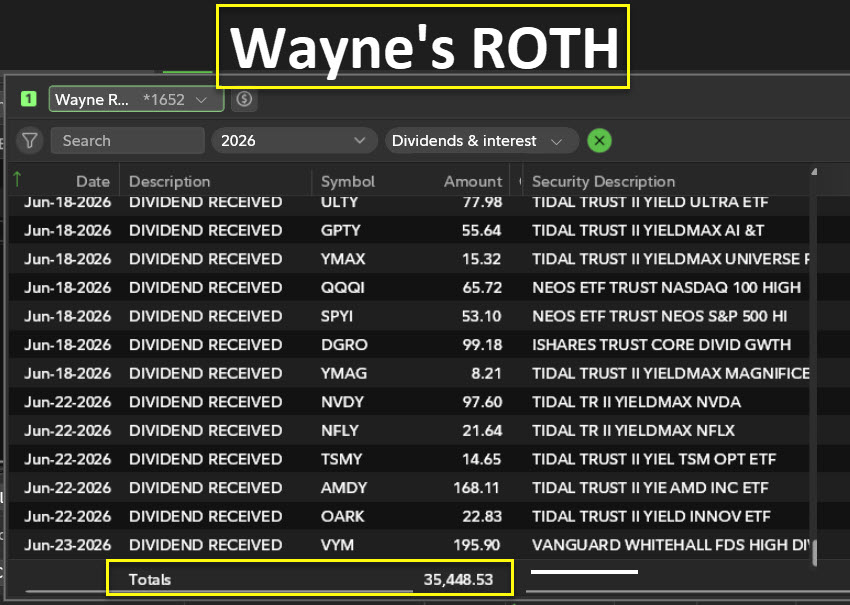
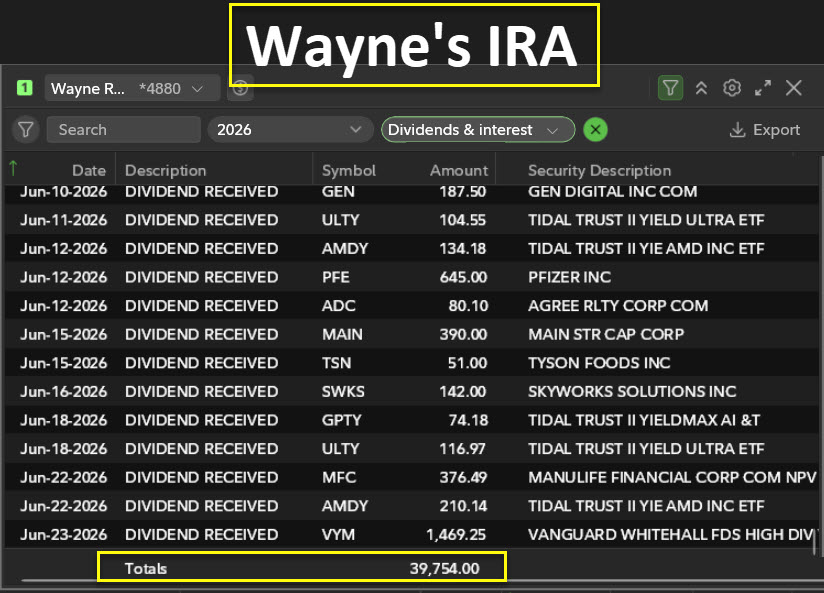
To illustrate the power of this I created some other examples. Some of them are screen shots of the actual data based on the filters I selected. Two of them are the result of csv downloads of views of my work with AVGO and NVDA.
Downloads of AVGO and NVDA
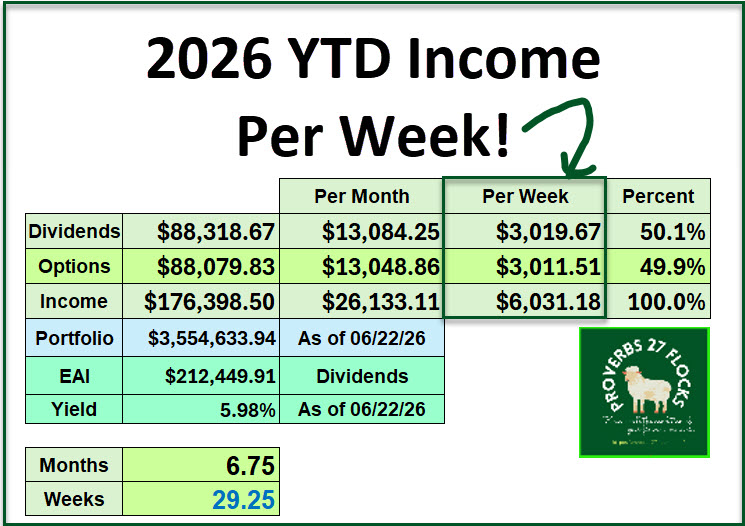
Perhaps you don’t know how to use a spreadsheet like Excel. If you are an investor, I highly recommend that you learn the basics. Excel is a wonderful tool to track your results. This image, for example, helps me see at a glance the results of buying dividend income stocks and ETFs and the results from trading options contracts. Why would I sell investments just because the overall market is in a funk?
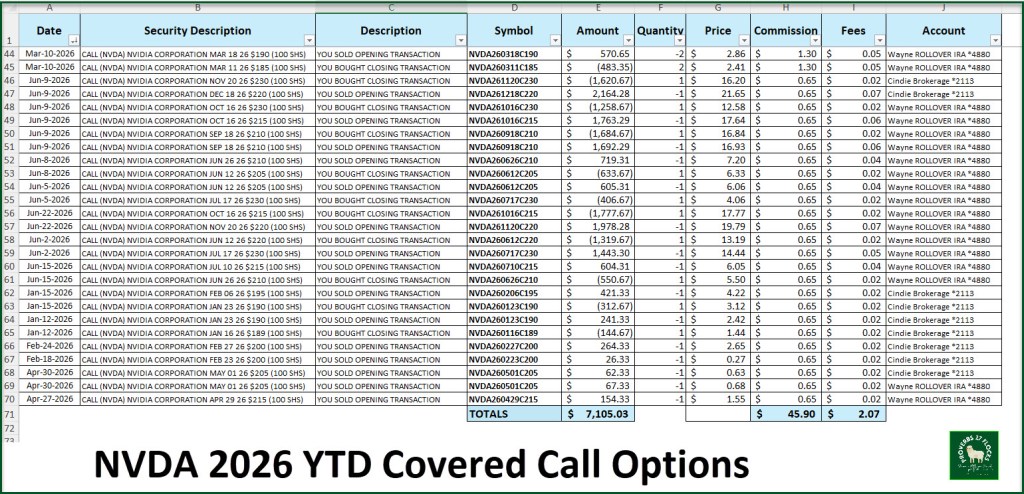
Because I trade options, primarily covered call options contracts, I want to know if the options I trade are resulting in meaningful income. By downloading the Buys and Sells, I can see (using Excel) the gains I have made trading options contracts on AVGO and NVDA.
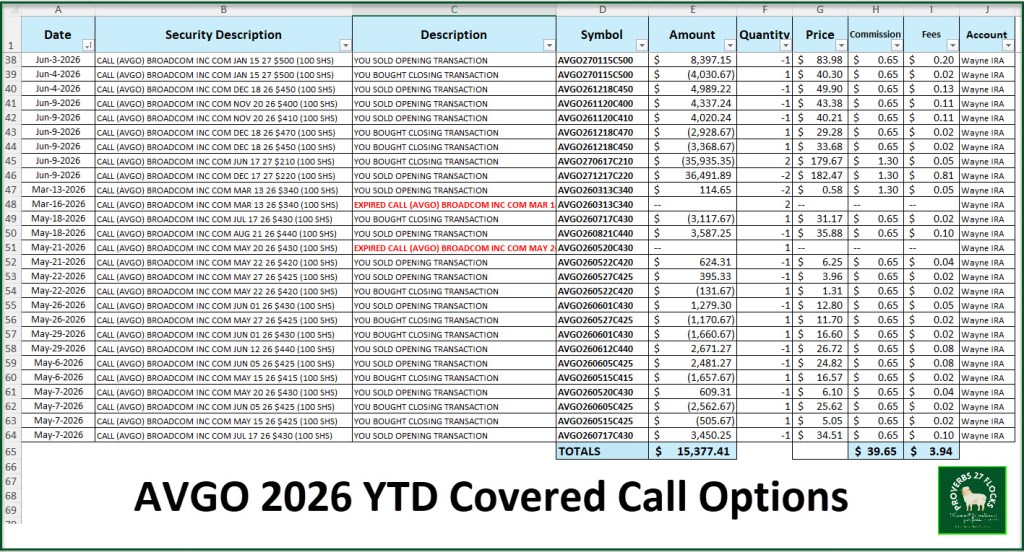
So, for example, I have earned $7,105 in NVDA options trades. For AVGO the dollars are more significant because AVGO’s share price is considerably higher than NVIDA. The AVGO income YTD is $15,377.
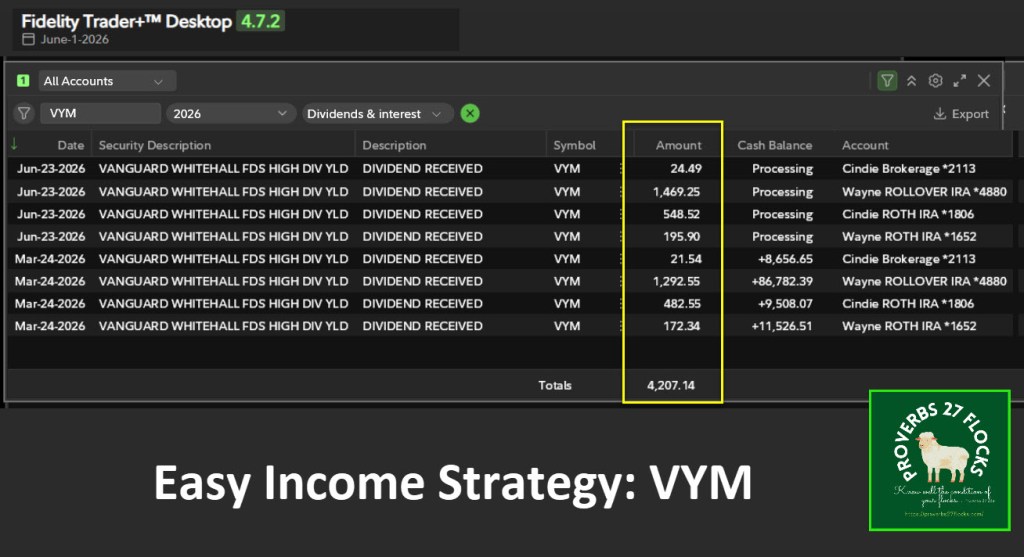
VYM YTD Dividends
On June 23 we received dividends for our shares of VYM. As you can see from this screenshot, the total dividends we have received from just this one position is $4,207.
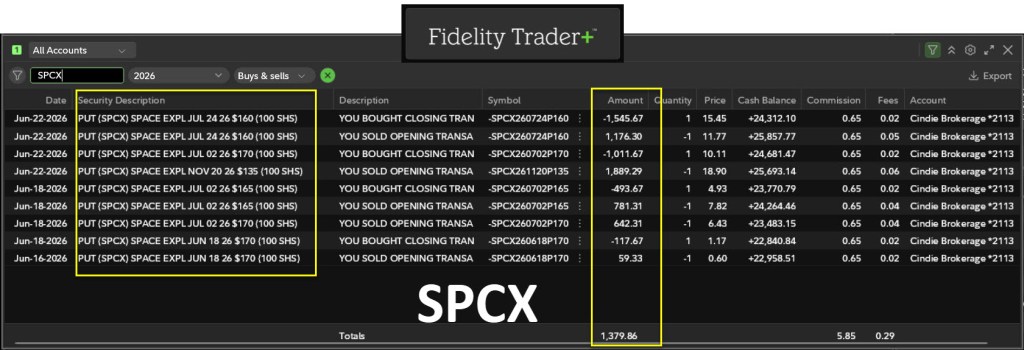
Shares I Do Not Own
You can make money on stocks you don’t own. All you need is some cash sitting in your account. I do not own shares of Space Exploration Technologies Corp. (SPCX). However, In just the last couple of days of trading and rolling cash covered put options, we have added cash to my traditional IRA. The amount added was $1,380 during the month of June.
Recommendations
Anytime someone gets serious about investing, they should either hire a financial advisor and pay a ludicrous amount every year for account and asset management, or they should learn how to use some basic tools. The three tools that I find indispensable are Excel, Seeking Alpha, and Fidelity’s Trader+ software for buying and selling and watching over the flocks and herds.
I am always willing to answer questions, but the goal should be that you become a resource to help others. I suggest you pass on what you learn to the people who matter to you.
Fidelity Trader+ User Guide
This is a link to Fidelity’s User Guide: TRADER+ Help Guide
Seeking Alpha Subscription Information
Of all of the resources I use, the most helpful is Seeking Alpha. The QUANT ratings is especially helpful for avoiding terrible investments. If you decide to explore a Seeking Alpha subscription, please use the following link. Seeking Alpha

SEEKING ALPHA INFORMATION AND SUBSCRIPTION
You can also scan this QR Code to get the same information.
Past performance does not guarantee future results, Seeking Alpha does not provide personalized advice, and it is not a registered investment adviser.
We accept advertising compensation from companies that appear on our site. This website represents my opinions, which may not reflect those of Seeking Alpha, and does not constitute an investment recommendation or advice.
If you have any questions or problems getting connected to Seeking Alpha, reach out to them with this email address: subscriptions@seekingalpha.com
All scripture passages are from the English Standard Version except as otherwise noted.

