
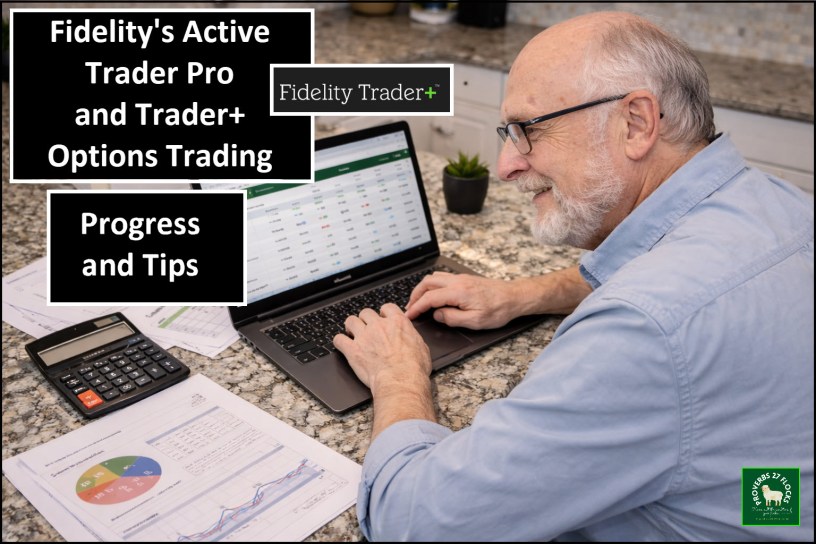
Progress and Some Tips
In this post I provide more details to show some of the Trader+ positions windows reveal the options entered on Active Trader Pro (ATP). This is important for tracking open option orders and for viewing orders that have been executed. This will include several images. The first set is from the ATP software (which is being replaced by Trader+). Then I will show the web orders view on the Fidelity web orders page. Finally, we will look at how what I did in ATP appears in the Trader+ software along with some thoughts about setup.
I have also learned some important things about pieces that I thought were missing from Trader+ that I use every time I evaluate a covered call options trade. Stay tuned, as I plan to show you what I learned from a Fidelity representative about the probability of losing my shares if I enter a covered call options trade.
Eight Images from ATP
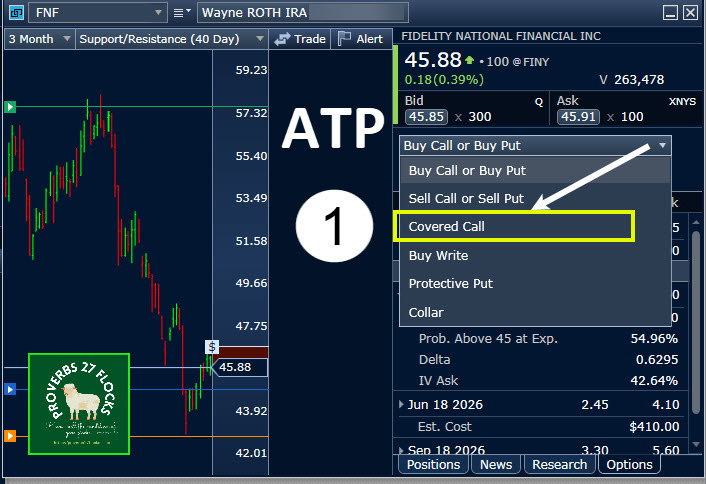
Within ATP’s Trade Armor window it is easy to see the “Covered call” option (1) in the Options tab dropdown menu.
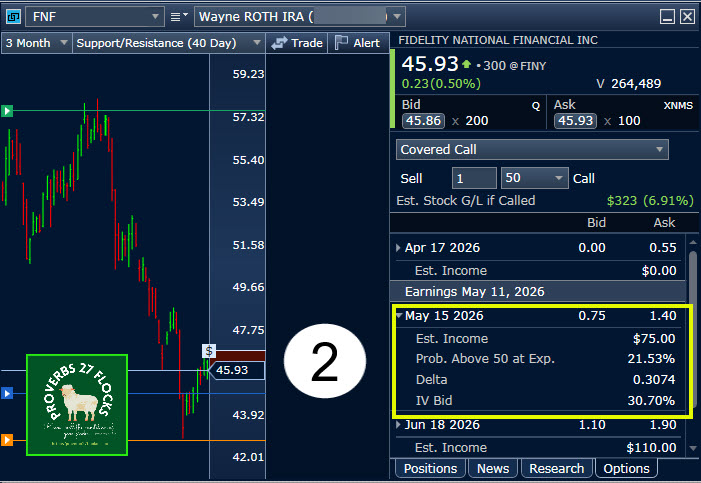
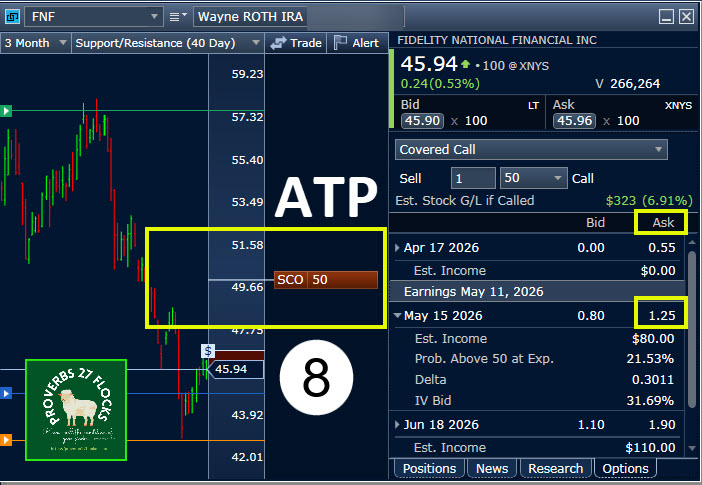
It is also easy to see the BID/ASK price for the $50 option contract for FNF (2) for an option contract that expires on May 15 in ATP. This ATP window also shows that there will be an earnings announcement on May 11. This is important because good earnings could cause the price of the FNF shares to bounce up from $45.93 to $50 or more. However, the probability of this happening given current market conditions is a comfortable 21.53%. I like that number to be less than 25-30%.
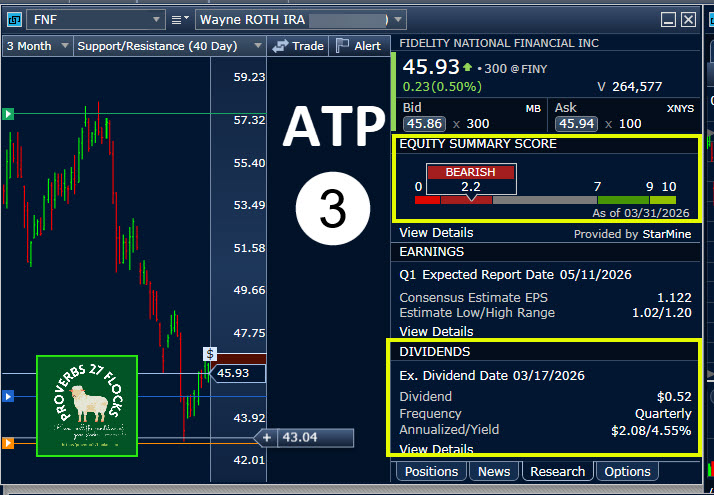
I also want to be aware of the next earnings date (3) and the ex-dividend date. Because I am a dividend growth investor I don’t want to lose my shares before the next dividend is promised unless the income from the options trade is enough to warrant that risk.
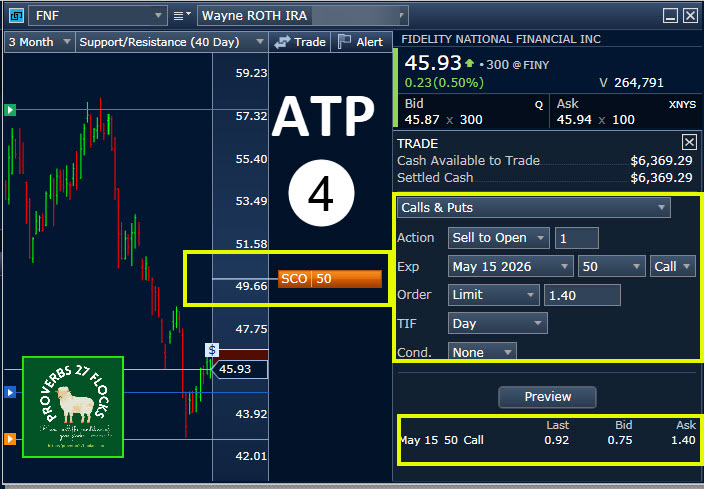
I rarely accept the BID price for an option trade. In this example (4) there is another investor asking for $1.40 while the current buyer (ASK) is only offering $0.75. However, notice that the last trade for this $50 option contract was $0.92. That means there may be buyers who would jump on a price higher than the $0.75 but less than the $1.40.
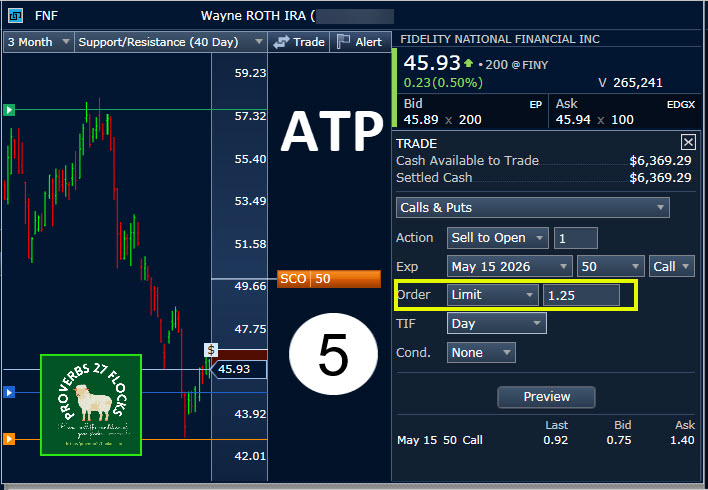
As a result, I thought I would enter a trade to sell a covered call option contract (5) for $1.25. There is nothing scientific about the number. It is just less than $1.40 and more than $0.75.
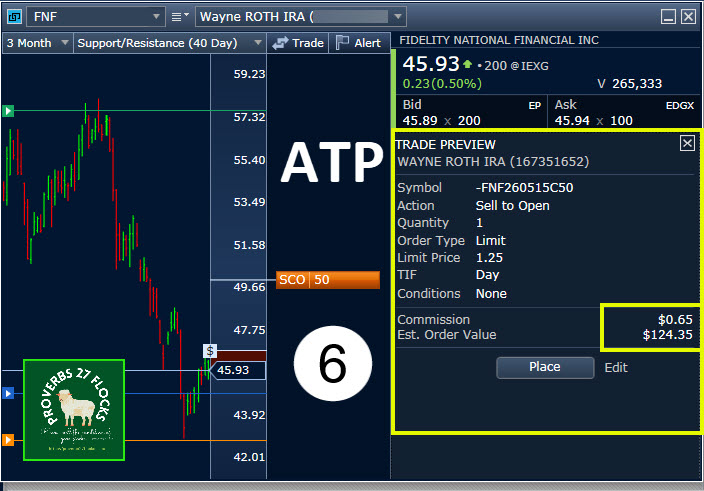
In ATP it is easy to see the potential income from the trade (6). In this case the profit is about $124.35. Remember, it takes less than five minutes to enter this trade. There are twelve five-minute time slots in an hour, so if I had the inclination to enter twelve similar trades I could make $1,491.60 in an hour. That is not entirely unreasonable if you have enough shares of various stocks in your investment portfolio.
After previewing the order I clicked on “Place” the order. This is the result (7). The order is now available to other options traders. Fidelity received the order.
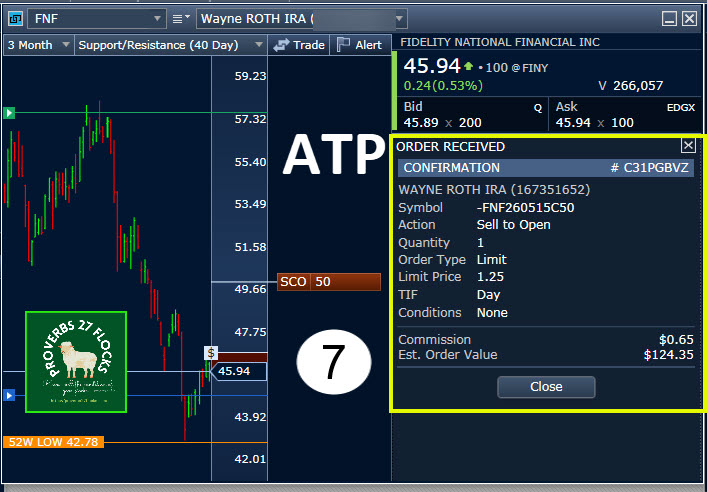
Finally, this image now shows my BID of $1.25 instead of the $1.40 BID of a different options trader. Note also that a buyer of the contract is now offering to pay $0.80 per share for this contract. Patience is a virtue in options trading.
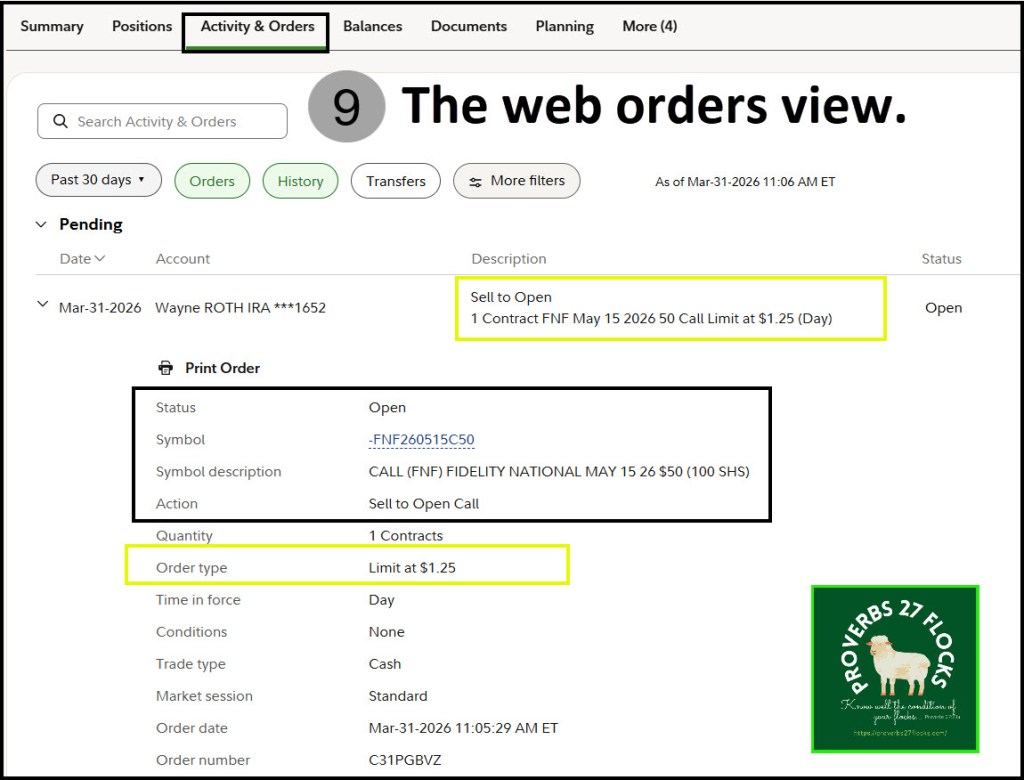
Fidelity Web Orders View
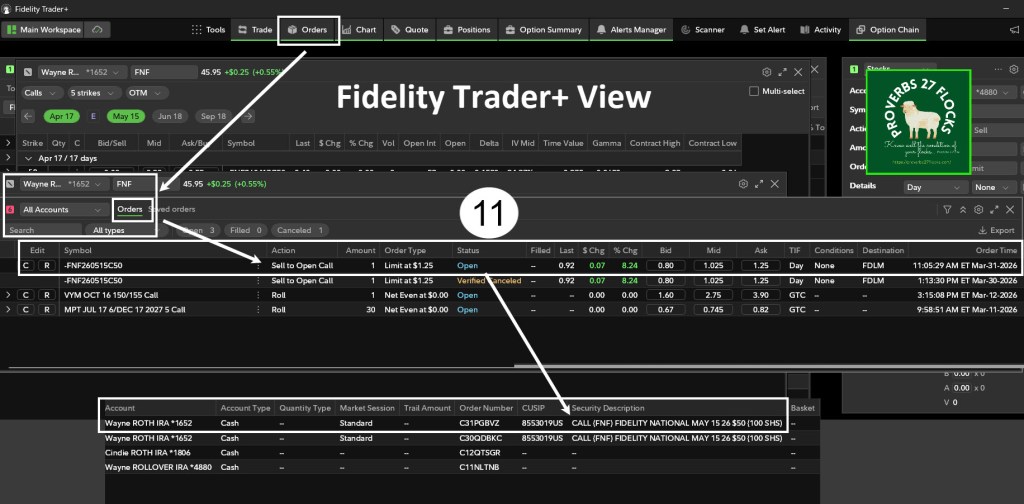
This same order is visible on the Fidelity website (9). Here is a screen image of the order I just submitted.
Trader+ View of the FNF Order
This is how that same order appears in Trader+ (10) and (11).
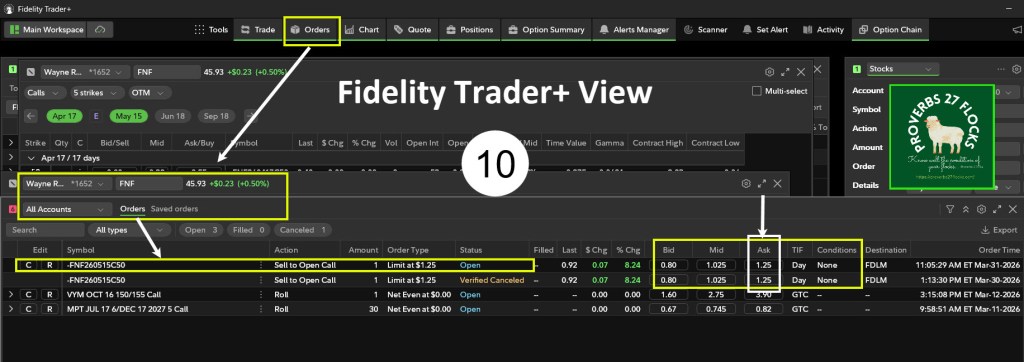
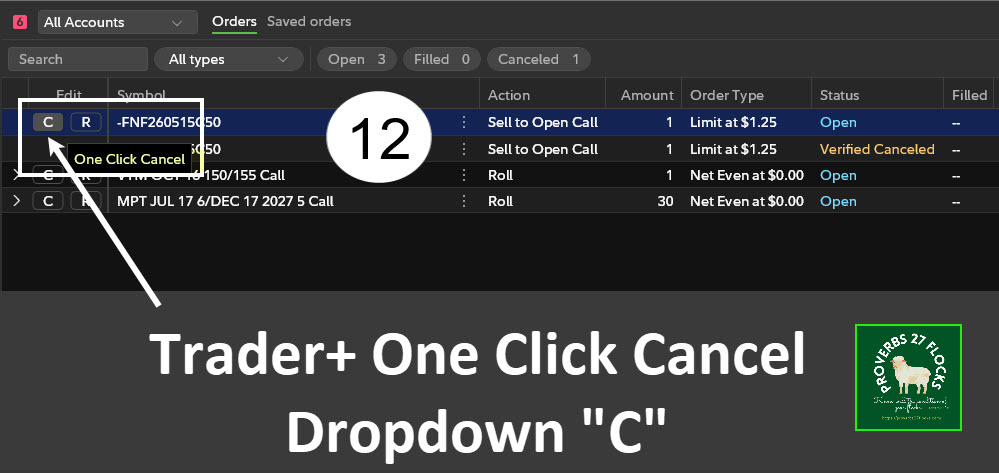
It is easy to CANCEL the order in Trader+ (12) if I change my mind before the contract is purchased by another options trader.
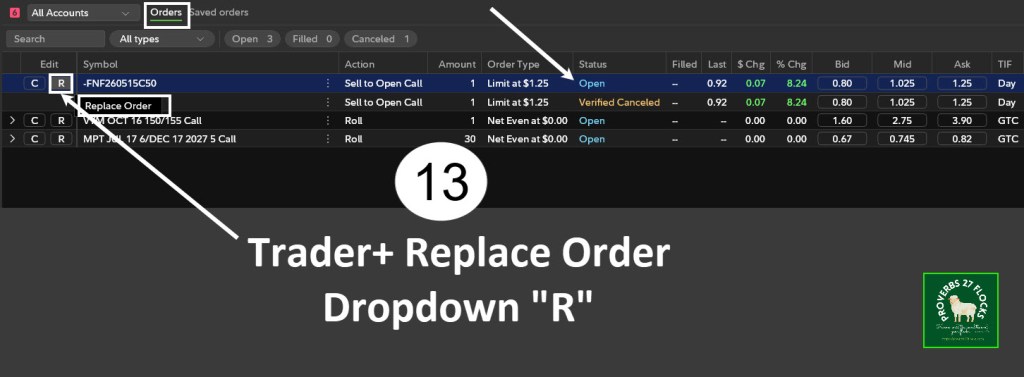
It is also possible to REPLACE the order in Trader+ (13).
Trader+ Options Contracts Expiring
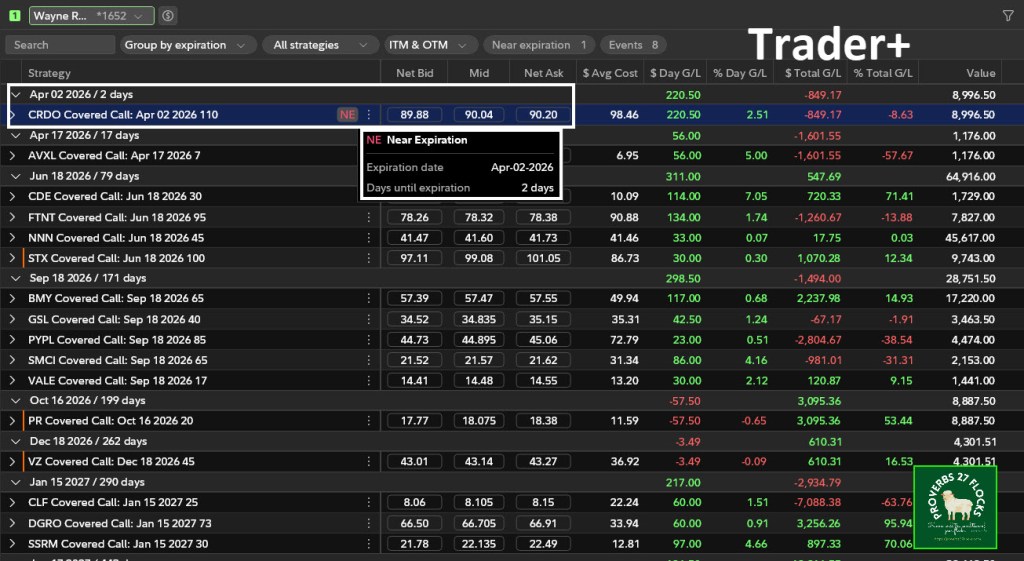
It isn’t hard to see a list of the options contracts and their expiration dates. For example, in my traditional IRA I own shares of CRDO that are “NE” or nearing expiration. I had a covered call contract with an April 2 expiration date. This contract expired on Thursday and I keep my shares. That means I can enter into another covered call contract for those shares on this coming Monday.
Opportunities for Options Trades in Trader+
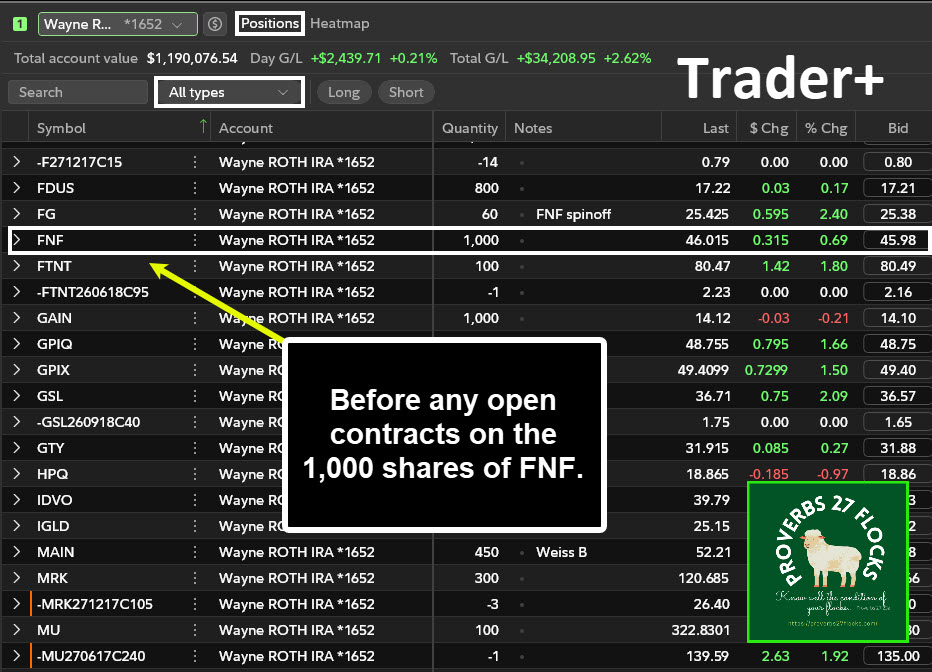
If I had any open options contracts for my 1,000 FNF shares in my ROTH IRA. They would appear on this Trader+ positions display.
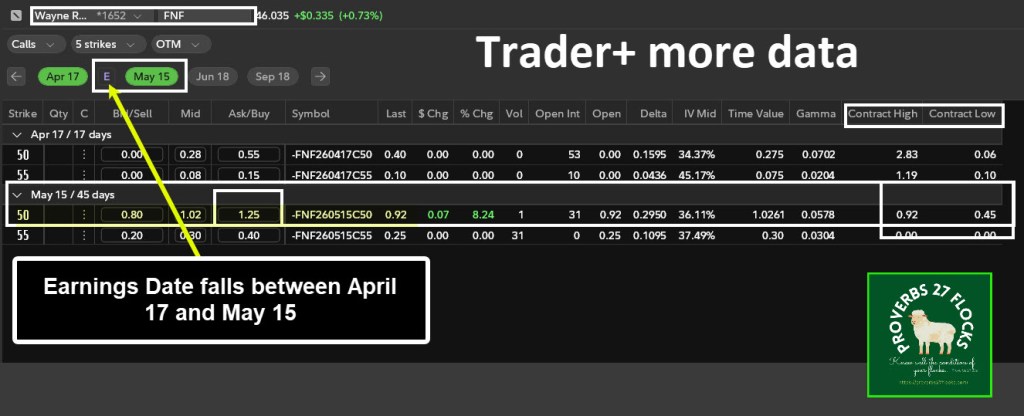
The Earnings Date in Trader+
It is easy to see that FNF has an earnings date that falls before the May 15 option date. This is shown with the “E” between April 17 and May 15. Note that FNF does not trade weekly options. April 17 is the third Friday of the month of April, and May 15 is the third Friday of May. Stocks and ETFs that trade monthly options always have options that expire on the third Friday of the month.
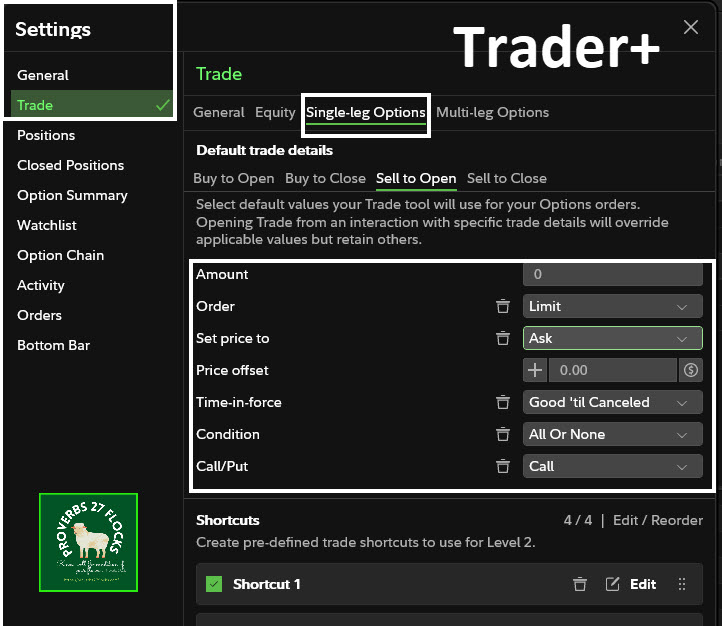
Changing Single-Leg Options Trader+ Settings
Rather than always having to change some trade defaults to my preferred settings, I want to have some fields prefilled. So, for example, I usually want to place a limit order with the current ASK price. I am also now using the “Good until Cancelled” option (GTC) so that the order stays open for more than just the present day. The “All or None” setting is helpful for options trades where I want to trade more than one contract, but I don’t want to have a partial order filled. So, for example, if I am asking $1.25 for 300 shares (3 contracts), then I want all three contracts to sell or none to sell. Because I trade more Calls than Puts, I default in Call for the Call/Put field.
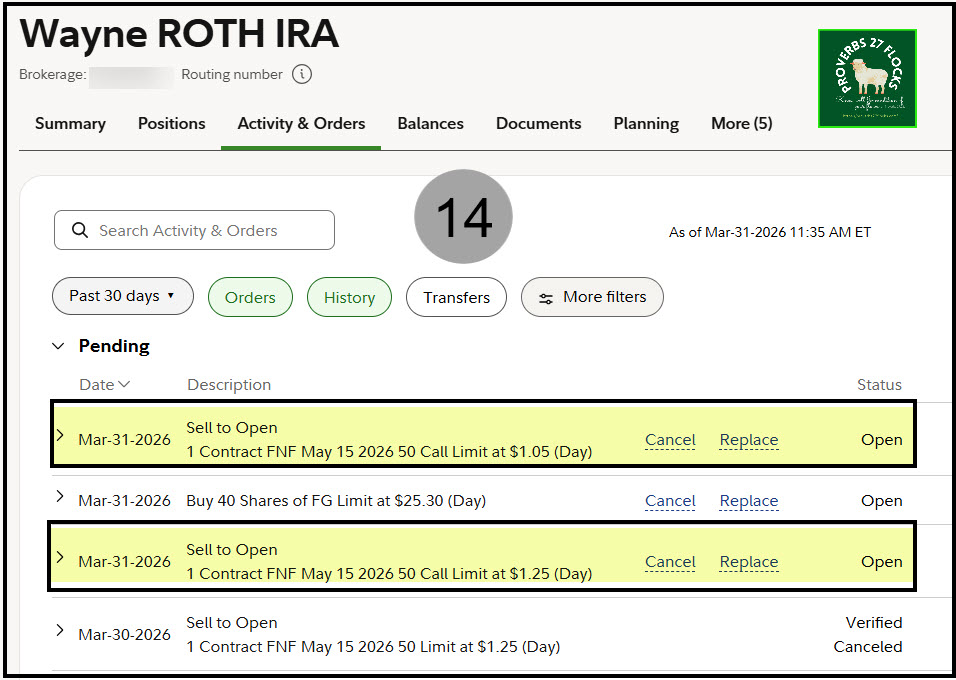
Fidelity Activity and Orders for FNF
I entered a second covered call option contract on Trader+ with a contract price of $1.05. This is to entice the person offering $0.80 to reconsider their price. I can be patient about the other $1.25 contract. Before the day ended both contracts were filled. I made $228.66 for about ten minutes of work.
If I accepted the $20/hour that Aldi wants to pay new employees, I’d have to work over eleven hours to receive that pay. Actually, I’d have to work even longer because of income taxes and deductions for Social Security and Medicare. Because I earned the $228 in my ROTH IRA, that income is entirely tax-free. There is no income tax, no Social Security tax and no Medicare tax. That makes the earnings per hour even sweeter.
Coming Up Next
This is just an appetizer of the process. Becoming familiar with Trader+ does require a bit of learning and exploration. Next time I will show you how to find the probability of the option trade being called. Remember, my goal is to reduce the loss of dividend-paying investments while earning additional income from trading options. Therefore, I want to keep the probability of loss under 30%.
Seeking Alpha Subscription Information
Of all of the resources I use, the most helpful is Seeking Alpha. The QUANT ratings is especially helpful for avoiding terrible investments. If you decide to explore a Seeking Alpha subscription, please use the following link. Seeking Alpha

SEEKING ALPHA INFORMATION AND SUBSCRIPTION
You can also scan this QR Code to get the same information.

Past performance does not guarantee future results, Seeking Alpha does not provide personalized advice, and it is not a registered investment adviser.
We accept advertising compensation from companies that appear on our site. This website represents my opinions, which may not reflect those of Seeking Alpha, and does not constitute an investment recommendation or advice.
If you have any questions or problems getting connected to Seeking Alpha, reach out to them with this email address: subscriptions@seekingalpha.com

