
This Old Dog is Learning New Tricks
Fidelity is replacing their Active Trader Pro (ATP) software with a product they call Trader+. So far I am not completely impressed with the way you trade options on Trader+, but perhaps they will improve it based on client feedback. I also realize that I am now a beginner when it comes to this new tool. (I’m not optimistic that Fidelity will bring the best features of ATP to Trader+, but one can hope.)
Comparing Two Things
Sometimes the best way to understand how things are the same or different is to compare them. When we buy an appliance like a clothes washer, I want to understand the benefits of the two top brands and compare them along with the cost for each washer. The same is true when using software to enter orders or to trade covered call options.
Three Fidelity Investments Trading Tool Choices
For Fidelity Investments there are three choices for entering buy/sell trades or for selling covered call options. The first is the Fidelity web site. I find that rather cumbersome for options trading, so I avoid using it for options trading. I don’t plan to dig into that interface.
The second tool is one that is going away. I have been using Active Trader Pro (ATP) software for at least six years, and it is usually a very good tool. I will admit that it also has some bugs, especially when it comes to Trader Armor. However, even Trade Armor has some features that I will miss.
The third is Fidelity’s replacement for ATP. They call this software Trader+. In the next post I plan to show you what the ATP process looks like for entering a covered call option contract for 100 of my 1,000 shares of FNF (Fidelity National Financial, Inc.) as a review. Today, so that I could experience the differences in the options order process, I sold one covered call contract for $50 using ATP and then I sold one covered call contract for $50 using Trader+.
Trading on ATP and Trader+
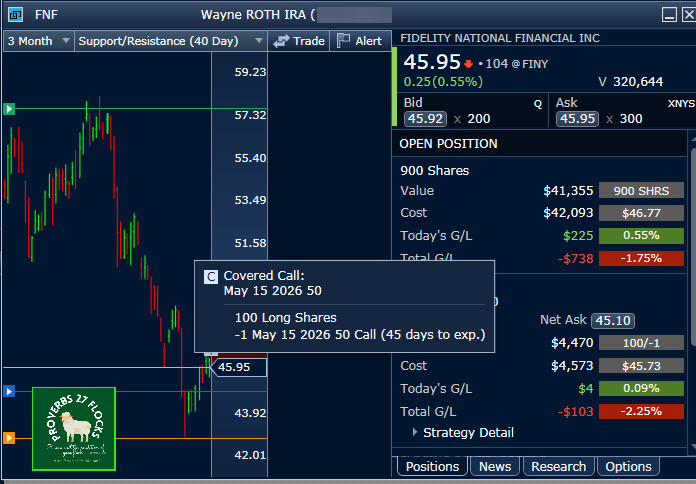
This will require two separate posts but will probably continue as I learn more about Trader+. The method I use on ATP has focused on using the “Trade Armor” window. The following image shows the result of entering a trade and having the sell option executed. The option expires on May 15 with a contract price of $50. As a result 900 of the total shares remain for options trades.
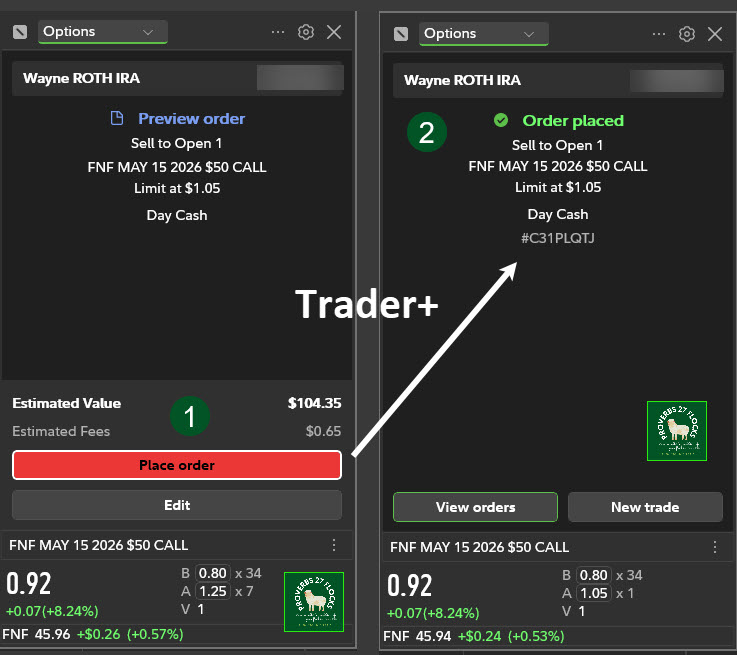
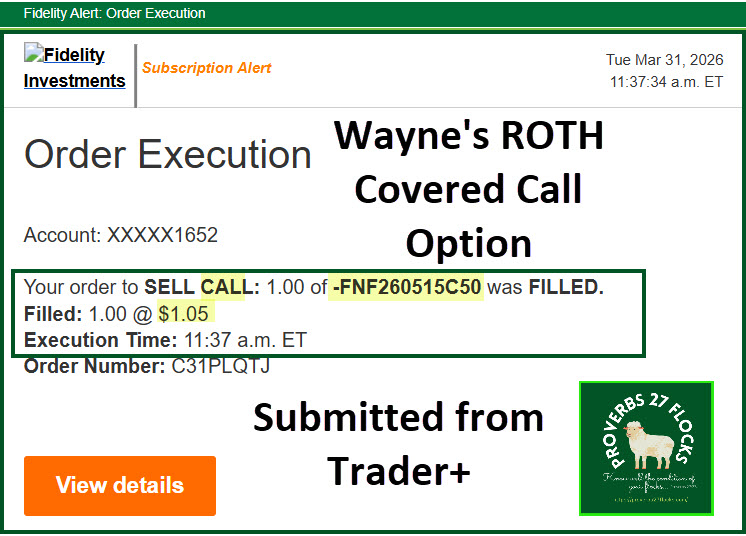
I submitted one covered call for 100 shares with a contract price of $1.05 using Trader+. This order was executed and resulted in income of $104.33 after the $0.67 commission.
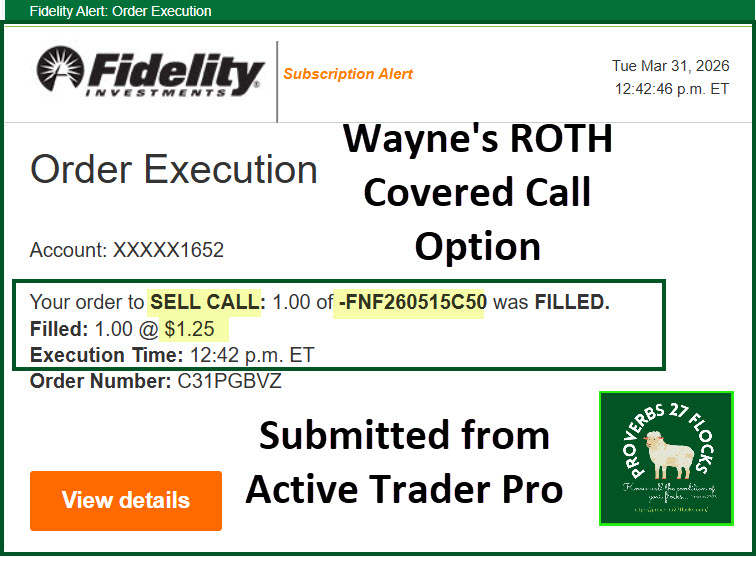
The order I submitted from ATP was for a contract price of $1.25 so that I could easily distinguish between the Trader+ order and the ATP order.
Orders on the Fidelity Web
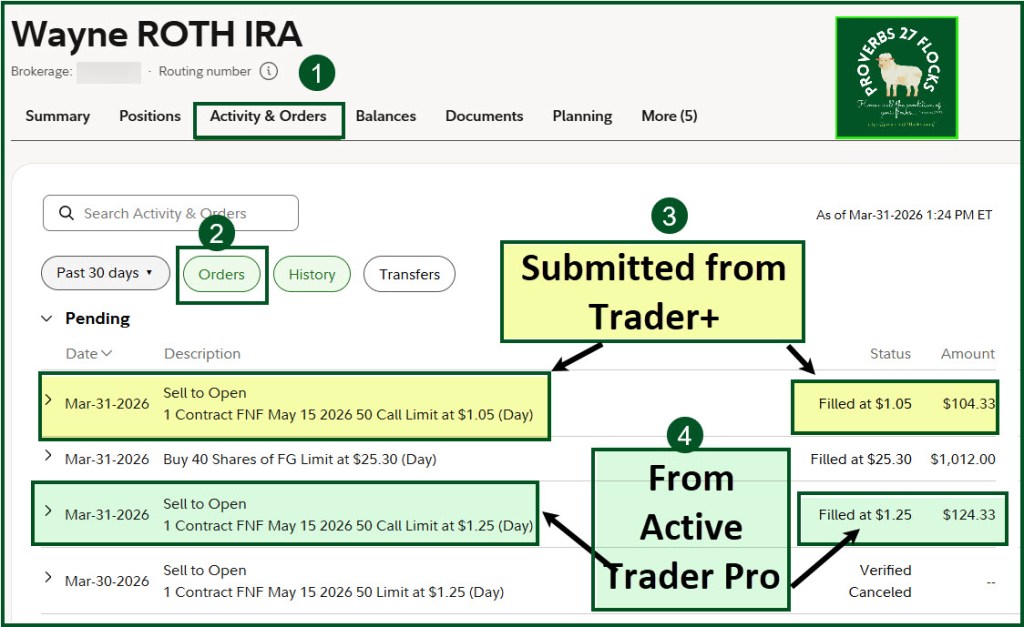
If you look at the two orders on the Fidelity “Activity & Orders” screen, you can see that the Trader+ order was filled at $1.05 and the ATP order filled at $1.25. The second order resulted in income of $124.33. Sometimes it pays to ask for more than the current BID price. In fact, both orders were above the current bid price at the time I submitted them.
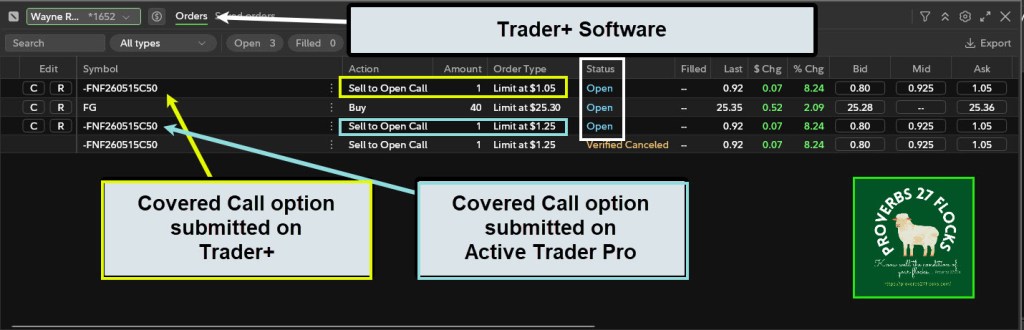
The next image from Trader+ shows both orders while they were still open. You can see that the BID price at that time was $0.80, but I wanted more. You can also see that my $1.05 offer shows up in the ASK column.
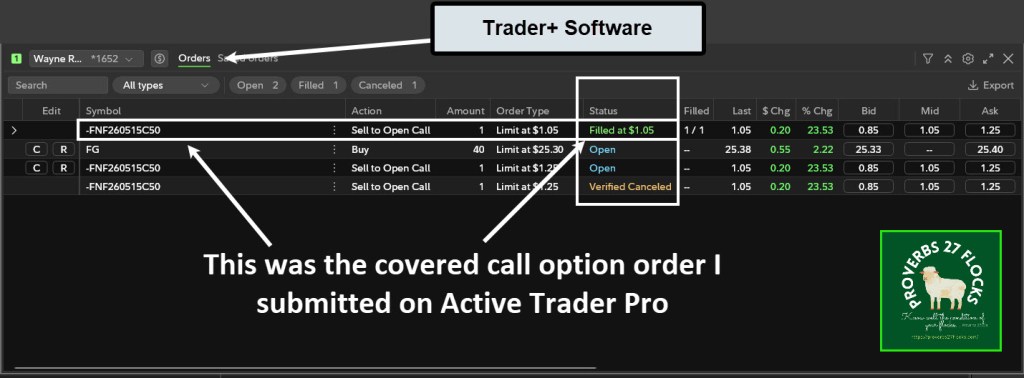
The next Trader+ image shows that the $1.05 order was filled, and the new BID price is my $1.25 order.
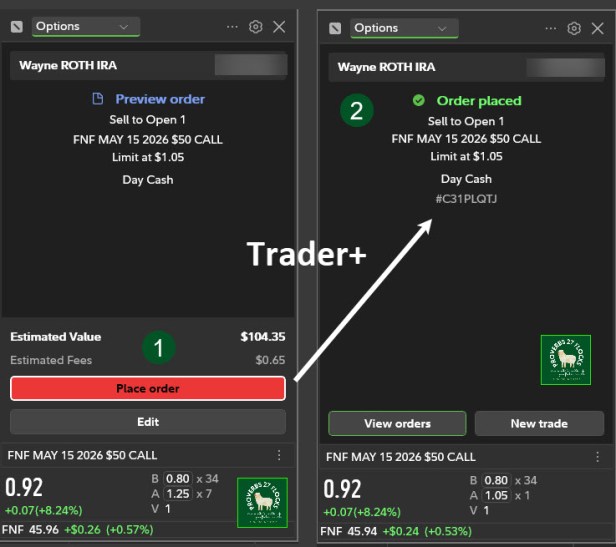
This image combines the order preview on Trader+ on the left side and the “Order Placed” image on the right side.
Coming Up Next
This is just an appetizer of the process. Becoming familiar with Trader+ does require a bit of learning and exploration. There are also some settings for trading “Single-leg Options” that will make future options trades on Trader+ a bit less labor intensive.
Placing an order on either platform takes about the same amount of time. For my next post I plan to provide more details to show some of the Trader+ positions windows reveal the options entered on ATP. This is important for tracking open option orders and for viewing orders that have been executed.
Additional Resources for Trader+ First-Time Users
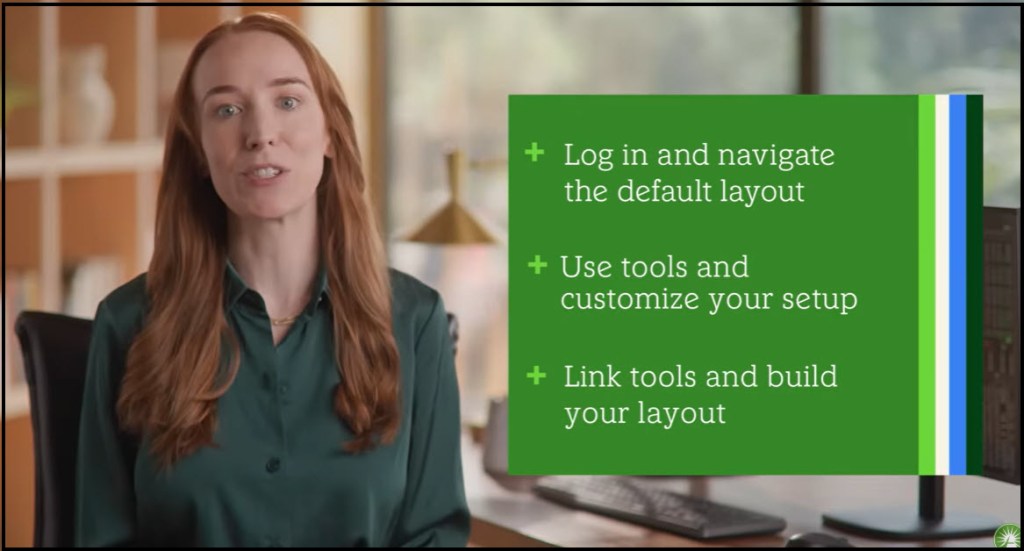
Here is a helpful get started Trader+ tutorial by Fidelity. It is only about four minutes long. Trader+
After I review their options video I will share that in the next post. However, if you cannot wait, just do a YouTube video search for Fidelity Trader+.
Seeking Alpha Subscription Information
Of all of the resources I use, the most helpful is Seeking Alpha. The QUANT ratings is especially helpful for avoiding terrible investments. If you decide to explore a Seeking Alpha subscription, please use the following link. Seeking Alpha

SEEKING ALPHA INFORMATION AND SUBSCRIPTION
You can also scan this QR Code to get the same information.
Past performance does not guarantee future results, Seeking Alpha does not provide personalized advice, and it is not a registered investment adviser.
We accept advertising compensation from companies that appear on our site. This website represents my opinions, which may not reflect those of Seeking Alpha, and does not constitute an investment recommendation or advice.
If you have any questions or problems getting connected to Seeking Alpha, reach out to them with this email address: subscriptions@seekingalpha.com
 Know Your Flocks & Herds