

Its Cold Out There!
Most people who live in the northern hemisphere know that it can get cold. Even people who live in Florida, Louisiana, and Texas experience some level of “cold.” Of course, those of us who live in Montana, Minnesota, Wisconsin, and Michigan have a different level of tolerance for the cold. Even so, we don’t venture out without having layers of protection. I typically wear a long-sleeve shirt, sometimes a sweater, and then top it off with a leather coat. Every extremity has a covering: the stocking hat covers my balding head and ears, gloves or mittens take care of my hands, and boots often are needed when I go out to blow the snow from the driveway.

The same things are true with our lives in the dark, ominous, and cold internet. Dangers, including scammers, stalkers, intruders, malware, and viruses abound. It is wise to have layers of protection on any device you use for accessing your online financial accounts and information.
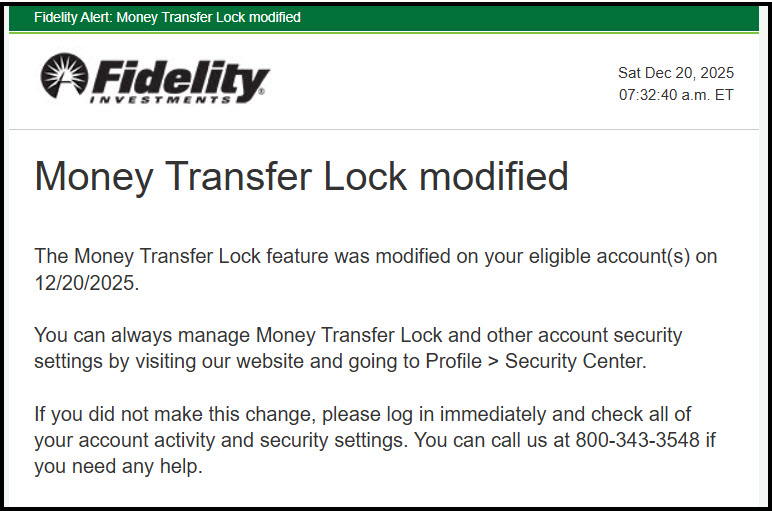
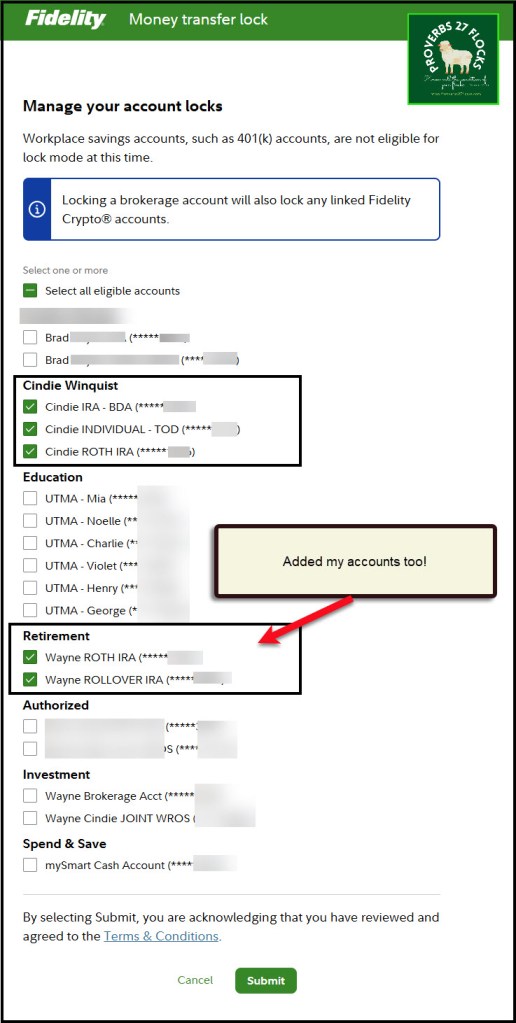
Today I added another level of security to the five Fidelity Investment’s accounts that make up the majority of our retirement assets. These included three of Cindie’s accounts and two of mine. This chapter will explore my recommendations for layers of protection.
What Do Criminals Know?
First of all, they know that many are naïve and think they are “safe” because they have a password on their account(s). Because there have been so many data breaches, much of our “private” information is for sale to the criminal elements. “They have your Social Security number, they know the challenge questions, and they have enough of your personal information to pull off an alarming impersonation.” – Clark Howard
Because they have information, they can open a “shell account” that looks like it is owned by you. They can then request a transfer of your cash, stocks, ETFs, and some mutual funds to their account. This can happen very quickly, so unless you have levels of security on your assets, you may see them disappear. The FBI has reported that account takeover (ATO) fraud schemes, which include fraudulent activities exploiting the Automated Customer Account Transfer Service (ACATS), have resulted in losses exceeding $262 million in 2025 alone. This significant figure underscores the growing concern over such financial crimes affecting unsuspecting individuals, particularly seniors.
What is ACATS?
ACATS stands for the Automated Customer Account Transfer Service. It is a system developed by the National Securities Clearing Corporation (NSCC) to streamline the process of transferring assets between financial institutions. ACATS allows clients to transfer their investment accounts from one brokerage firm to another efficiently and electronically, minimizing delays and paperwork. However, criminals know about this feature and can pretend to be you.
Can You Lock It Down at Your Broker?
The three big brokers I recommend are Fidelity Investments, Vanguard, and Schwab. These are not equal when it comes to ACATS protections. Fidelity is currently the best of the three for this level of security.
Fidelity Investments: You can turn ACATS on yourself and turn it off when needed.
Vanguard: You must call them and speak to a customer service representative. Ask them to place a lock on your account to prevent an ACAT or ACATS transfer.
Schwab: Apparently this is not available at Schwab at this time. One search I did resulted in this response: “Charles Schwab does offer protections related to ACATS (Automated Customer Account Transfer Service) transfers, but the specific details can vary depending on the nature of the transfer and account security measures in place.” In addition, “Schwab Security Guarantee: Schwab offers a Security Guarantee, which covers losses in your accounts due to unauthorized activity. To ensure this protection, clients need to safeguard their account access information and report any suspicious transactions promptly.”
Locking Down ACATS on Fidelity Investments
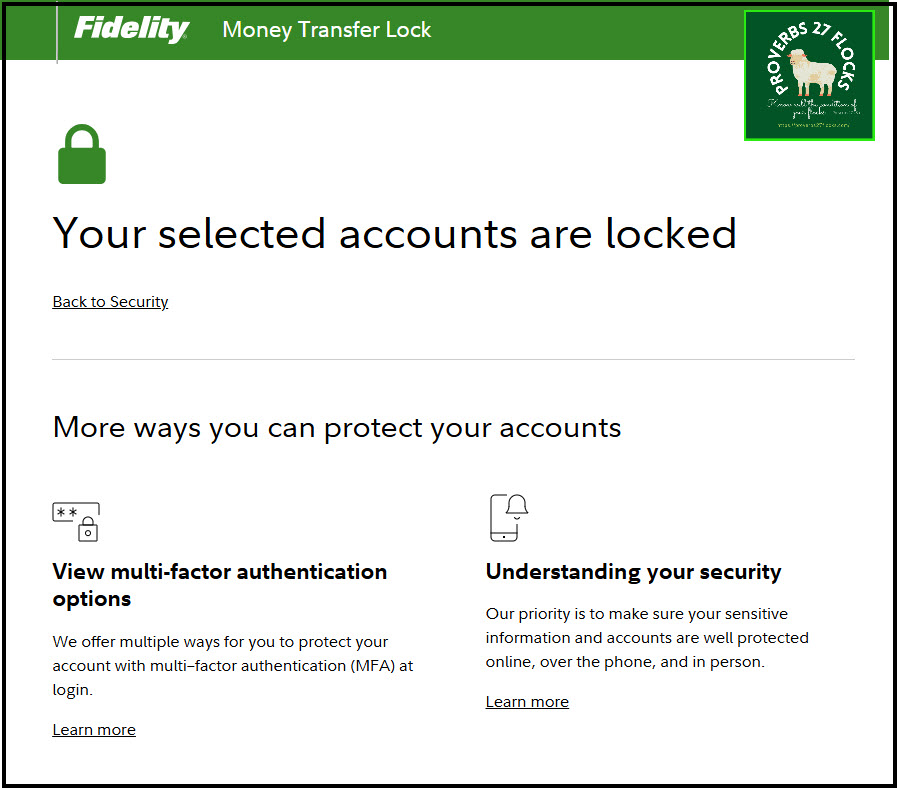
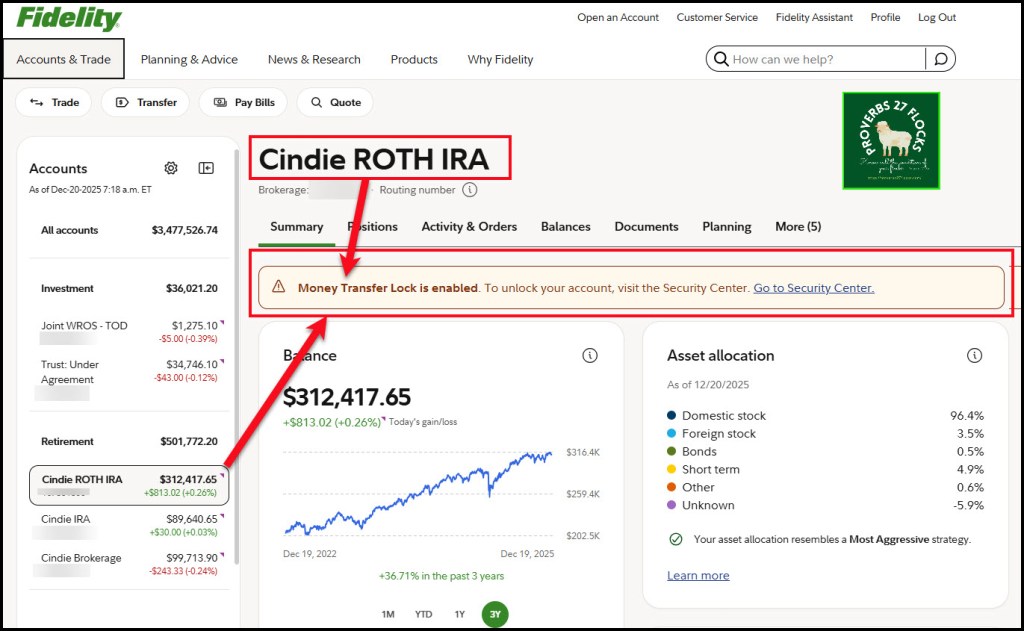
To lock outgoing transfers on Fidelity Investments, you can use a feature called Money Transfer Lock. This security measure helps prevent unauthorized transactions by requiring you to disable the lock before making specific transfers. The procedure is simple and fast.
How to Enable Money Transfer Lock
Log into your Fidelity account at Fidelity.com.
Navigate to the Security Settings section.

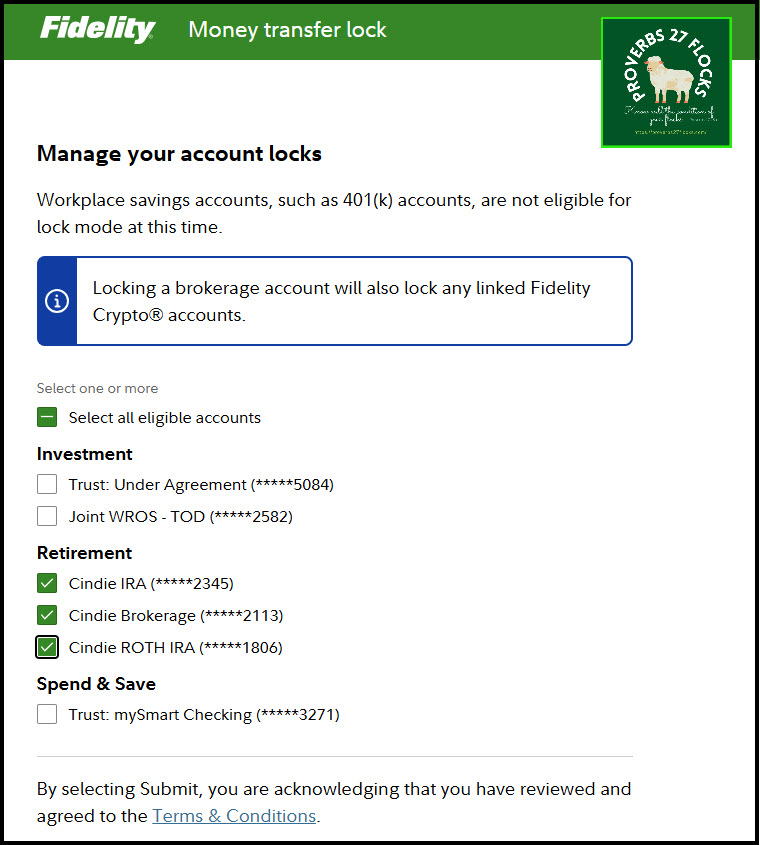
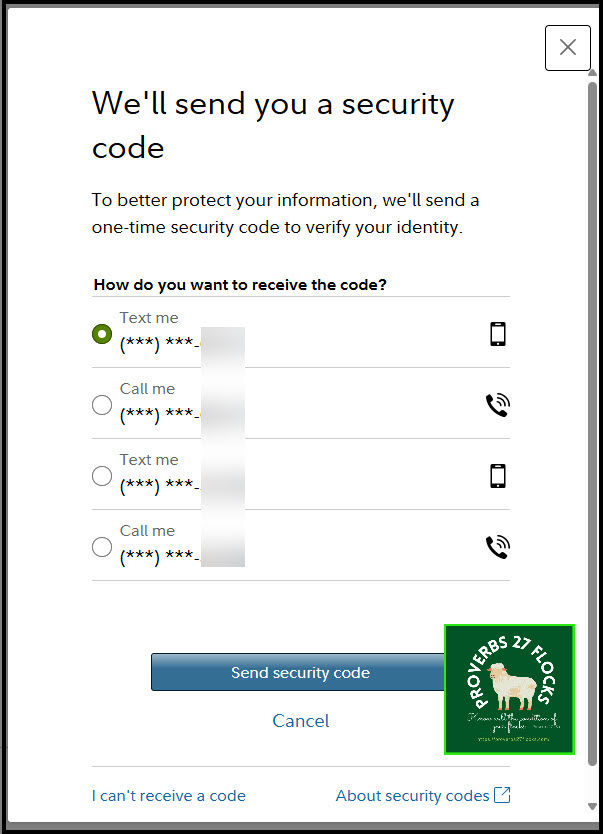
Look for Money Transfer Lockdown and enable it. You can select the accounts you want to lock. I locked the accounts with our larger retirement balances. I did not lock down our cash account which we use for checking and for ATM withdrawals. The balance on that account is relatively small.
What Remains Unaffected?
While the lockdown is active, you can still receive deposits or transfers into your Fidelity account, write checks and make direct debits, conduct trading activities, and execute scheduled withdrawals for Required Minimum Distributions (RMDs).

What is Disabled?
The Account features that will be disabled through the Service are the outgoing electronic fund transfers from your Account (including those going to or from another Fidelity account), outgoing electronic bank wires from your Account (including those going to or from another Fidelity account), transfer of Shares and Assets to another institution and individual withdrawals.
Other Security Options
Obviously everyone should use secure and complicated passwords. A password manager is a helpful tool to create and find your passwords. I also use NordVPN to make myself more invisible when I am using the internet. The minimum everyone should have is some type of virus protection. We use McAfee Total Protection, but there are others we use. I often change to a different provider to get the best price each year.
On Fidelity you should also enable Multi-factor authentication at login. Fidelity understands that adding an extra step might seem challenging. Therefore, they offer you the option to trust your device at login. Please ensure this device is exclusively used by you to maintain its security. I do this with my laptop to avoid the extra steps each time I log into our accounts.
Don’t forget to back up your files onto a drive that is not connected to the internet. If something happens to your computer due to malware, you don’t want to have to rebuild everything from scratch.
Actionable Items
Do you have layers of protection when you use the internet? Here are some things to consider:
- Do you use passwords that are very difficult to guess?
- If you use an online broker, do you have ACATS disabled?
- Have you enabled Multi-factor authentication?
- What virus protection are you using? Do you have regular scans of your computer enabled?
- Do you travel? If you do, you should consider using a VPN like NordVPN.
Conclusion to Chapter Seven

Layers matter when you are traversing the cold, dark, and criminal-invested landscape of the internet. While it may take some time and dollars to protect yourself, the problems you may face if you do nothing may be irreversible or consume vast amounts of your time in the end.
Some Helpful Resources
What Is the Automated Customer Account Transfer Service (ACATS)? Investopedia
Why You Need To Lock Your Brokerage Account Today – Clark Howard
It Can Happen to Anyone – India Times
Final Thoughts
Procrastination is not your friend when it comes to security. The irritations and costs of additional layers of security are far less than the extreme pain of a loss of your investments.
The same is true about the security of your soul for all of life and for eternity. Don’t neglect this. In fact, this is far more important than virus prevention and detection. You need the salvation and care that is only found in the Father’s hands due to the work of the Savior’s hands on Calvary.
Psalm 16:8-10 says, “I have set the Lord always before me; because he is at my right hand, I shall not be shaken. 9 Therefore my heart is glad, and my whole being rejoices; my flesh also dwells secure. 10 For you will not abandon my soul to Sheol (the realm of the dead, where all the dead go) or let your holy one see corruption.”
Seeking Alpha Subscription Information
Of all of the resources I use, the most helpful is Seeking Alpha. Mutual funds do not have QUANT ratings. This makes them less likely for me to recommend as a part of your investment portfolio. If you decide to explore a Seeking Alpha subscription, please use the following link. Seeking Alpha

SEEKING ALPHA INFORMATION AND SUBSCRIPTION
You can also scan this QR Code to get the same information.
Past performance does not guarantee future results, Seeking Alpha does not provide personalized advice, and it is not a registered investment adviser.
We accept advertising compensation from companies that appear on our site. This website represents my opinions, which may not reflect those of Seeking Alpha, and does not constitute an investment recommendation or advice.
If you have any questions or problems getting connected to Seeking Alpha, reach out to them with this email address: subscriptions@seekingalpha.com
All scripture passages are from the English Standard Version except as otherwise noted.
 Know Your Flocks & Herds